The Ultimate Guide to Interactive Whiteboard Software
An ultimate guide comparing interactive whiteboard software to enhance classroom collaboration and teaching.
An ultimate guide comparing interactive whiteboard software to enhance classroom collaboration and teaching.
The Ultimate Guide to Interactive Whiteboard Software
Interactive whiteboards, often abbreviated as IWBs, have revolutionized the way educators teach and students learn. Gone are the days of dusty chalkboards and static presentations. Today, interactive whiteboard software transforms any display into a dynamic, collaborative learning surface. This comprehensive guide dives deep into the world of interactive whiteboard software, exploring its benefits, key features, popular products, and how to choose the best solution for your educational institution.
Understanding Interactive Whiteboard Software for Modern Classrooms
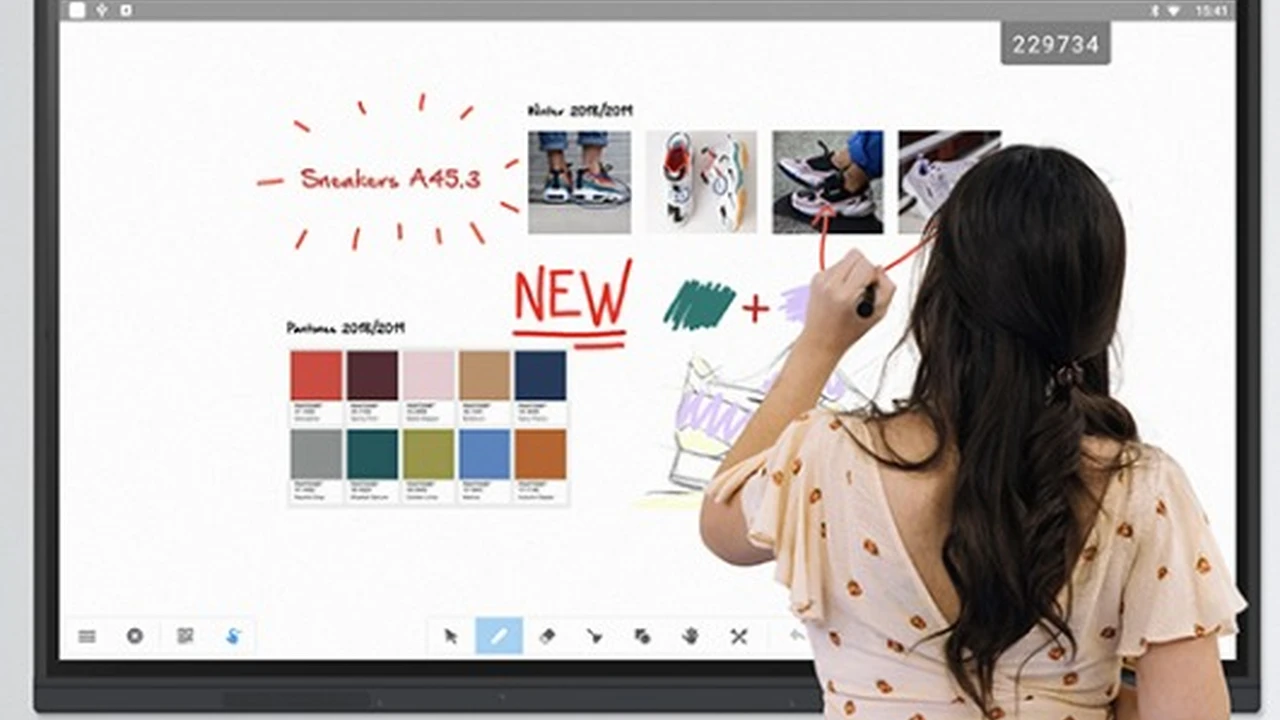
At its core, interactive whiteboard software is a digital application that allows users to write, draw, annotate, and manipulate digital content on a large display, typically connected to a computer and projector. It's more than just a digital canvas; it's a powerful tool for engagement, collaboration, and dynamic instruction. Imagine being able to pull up a live webpage, annotate it in real-time, save your notes, and then share them instantly with your students. That's the power of IWB software.
The evolution of this technology has been rapid. Early versions were often proprietary and tied to specific hardware. However, modern interactive whiteboard software is increasingly hardware-agnostic, meaning it can run on various interactive displays, projectors, and even standard touchscreens. This flexibility makes it a more accessible and versatile tool for diverse educational environments, from K-12 classrooms to university lecture halls and even corporate training rooms.
Key Features to Look for in Interactive Whiteboard Software for Education
When evaluating interactive whiteboard software, several key features stand out as essential for maximizing its educational impact. These features contribute to a more engaging, efficient, and effective learning experience.
Annotation and Drawing Tools for Dynamic Instruction
This is the bread and butter of any IWB software. Look for a rich set of annotation tools, including various pen types (marker, highlighter, calligraphy), colors, and thicknesses. The ability to draw shapes, lines, and arrows easily is also crucial. Advanced features might include a 'magic pen' that recognizes shapes or a 'spotlight' tool to focus attention on specific areas of the screen. The smoother and more intuitive these tools are, the better the teaching flow.
Multimedia Integration for Engaging Content Delivery
Modern learning is multimedia-rich. Your IWB software should seamlessly integrate various media types. This includes inserting images, videos (from local files or online platforms like YouTube), audio clips, and even interactive simulations. The ability to play and annotate these media files directly within the software saves valuable class time and keeps students engaged.
Collaboration Tools for Student Participation and Group Work
Interactive whiteboards are inherently collaborative. The software should support multiple users interacting with the board simultaneously, either through multi-touch gestures or by connecting individual student devices. Features like shared workspaces, real-time polling, and anonymous contributions can foster active participation and make group activities more dynamic. Some software even allows students to contribute from their own devices, extending the collaborative reach beyond the physical board.
Content Creation and Management for Lesson Planning Efficiency
Educators spend a lot of time preparing lessons. Good IWB software should offer tools for creating and organizing content efficiently. This includes templates for common activities, a library of pre-made resources (clip art, backgrounds, educational games), and easy ways to import existing lesson plans (e.g., PowerPoint, PDF). The ability to save, export, and share lessons in various formats is also vital for reusability and collaboration among teachers.
Cloud Integration and Accessibility for Flexible Learning Environments
In today's hybrid learning landscape, cloud integration is paramount. Software that allows teachers to save their lessons to cloud storage (like Google Drive, OneDrive, or Dropbox) ensures accessibility from anywhere. This means teachers can prepare lessons at home and access them in the classroom, or students can review materials from their personal devices. Cross-platform compatibility and web-based access further enhance flexibility.
Assessment and Feedback Tools for Tracking Student Progress
While not always a primary feature, some IWB software includes basic assessment tools like quick quizzes, polls, or even simple game-based assessments. The ability to collect student responses and provide immediate feedback can be incredibly valuable for formative assessment and gauging comprehension during a lesson.
Comparing Leading Interactive Whiteboard Software Solutions for Education
Let's dive into some of the most popular and highly-regarded interactive whiteboard software solutions available today, comparing their strengths, typical use cases, and pricing models.
SMART Notebook for Interactive Learning Experiences
SMART Notebook is arguably the most well-known interactive whiteboard software, often bundled with SMART Board interactive displays. It's renowned for its user-friendly interface and extensive feature set, making it a favorite among K-12 educators.
- Key Features: Rich annotation tools, a vast gallery of educational resources (images, activities, templates), SMART Lab for creating game-based activities, SMART Response for formative assessment, and integration with various educational content. It also supports multi-touch gestures and simultaneous user input.
- Use Cases: Ideal for interactive lessons, collaborative group work, creating engaging presentations, and conducting quick assessments in K-12 and higher education.
- Pros: Very comprehensive, large community of users and resources, robust features for creating interactive content.
- Cons: Can be resource-intensive, traditionally tied to SMART hardware (though now more flexible), subscription model can add up.
- Pricing: Often included with SMART Board purchases. Standalone licenses typically involve an annual subscription, which can range from approximately $60 to $150 per user per year, with institutional discounts available.
Promethean ActivInspire for Dynamic Classroom Engagement
ActivInspire is Promethean's flagship interactive whiteboard software, designed to work seamlessly with their ActivPanel displays. It offers a powerful suite of tools for creating and delivering engaging lessons.
- Key Features: Extensive pen and annotation tools, a vast resource library (Flipcharts, images, sounds), built-in activity builders, and support for multi-touch. It also features a 'Magic Ink' tool and a 'Reveal' tool for interactive content.
- Use Cases: Excellent for creating dynamic lessons, interactive quizzes, and collaborative activities across all educational levels.
- Pros: Feature-rich, good for creating highly interactive content, strong community support.
- Cons: Can have a steeper learning curve than some competitors, some users find the interface a bit dated.
- Pricing: Often included with Promethean ActivPanel purchases. A standalone license for ActivInspire Professional Edition can be around $50-$100 per user per year, with volume licensing options for schools.
Microsoft Whiteboard for Collaborative Digital Workspaces
While not exclusively an IWB software, Microsoft Whiteboard has emerged as a powerful, cloud-based solution for collaborative digital whiteboarding, especially within institutions that use Microsoft 365. It's designed for real-time collaboration across devices.
- Key Features: Infinite canvas, various pen types, sticky notes, shapes, image insertion, and seamless integration with Microsoft Teams. It excels in real-time, multi-user collaboration, allowing participants to contribute from any device.
- Use Cases: Brainstorming sessions, collaborative project work, remote teaching, and hybrid learning environments. It's particularly strong for spontaneous collaboration and idea generation.
- Pros: Free with Microsoft 365 subscriptions, excellent for real-time collaboration, cloud-based accessibility, simple and intuitive interface.
- Cons: Lacks some of the advanced educational content creation tools found in dedicated IWB software, less focused on traditional lesson delivery.
- Pricing: Free with most Microsoft 365 subscriptions (Education, Business, Enterprise). Standalone versions are also available for free on various app stores.
Google Jamboard for Interactive Cloud-Based Collaboration
Similar to Microsoft Whiteboard, Google Jamboard is a cloud-based interactive whiteboard solution that integrates seamlessly with Google Workspace. It's known for its simplicity and ease of use, making it a great tool for quick collaboration.
- Key Features: Digital sticky notes, drawing tools, image insertion, laser pointer, and real-time collaboration. It's designed for quick, spontaneous brainstorming and idea sharing.
- Use Cases: Collaborative group activities, brainstorming, quick presentations, and remote learning. It's particularly effective for institutions already heavily invested in Google Workspace.
- Pros: Free with Google Workspace, very easy to use, excellent for real-time collaboration, cloud-based.
- Cons: More basic feature set compared to dedicated IWB software, less emphasis on structured lesson creation.
- Pricing: Free with Google Workspace for Education and other Google Workspace subscriptions. The physical Jamboard device is no longer sold, but the software remains.
OpenBoard for Open Source Interactive Whiteboard Solutions
OpenBoard is a free and open-source interactive whiteboard software that offers a surprisingly robust set of features. It's a fantastic option for institutions with budget constraints or those who prefer open-source solutions.
- Key Features: Comprehensive drawing and annotation tools, multimedia integration, document import (PDF, images), and a built-in web browser. It also includes a virtual keyboard and screen recording capabilities.
- Use Cases: General classroom instruction, creating interactive presentations, and annotating documents. It's a versatile tool for various teaching scenarios.
- Pros: Completely free and open-source, cross-platform (Windows, macOS, Linux), relatively lightweight, good core features.
- Cons: Less extensive resource library compared to commercial options, community support rather than dedicated customer service, development might be slower.
- Pricing: Free.
Choosing the Right Interactive Whiteboard Software for Your Institution
Selecting the best interactive whiteboard software isn't a one-size-fits-all decision. It depends on several factors unique to your educational environment.
Budget Considerations for EdTech Investments
Cost is often a primary factor. Free options like OpenBoard, Microsoft Whiteboard, and Google Jamboard are excellent starting points, especially if you're already using their respective ecosystems. Commercial software like SMART Notebook and ActivInspire offer more specialized educational features but come with subscription costs. Consider institutional licenses for better value.
Hardware Compatibility and Existing Infrastructure
Does your institution already have interactive displays? Ensure the software you choose is compatible with your existing hardware. Some software is designed to work best with specific brands (e.g., SMART Notebook with SMART Boards), while others are more hardware-agnostic. Also, consider the operating systems used by your computers (Windows, macOS, Linux).
Teacher Familiarity and Training Requirements
The best software is one that teachers will actually use. Consider the learning curve. Solutions like Jamboard and Microsoft Whiteboard are very intuitive, while SMART Notebook and ActivInspire, with their extensive features, might require more training. Factor in the availability of professional development and support resources.
Specific Educational Needs and Pedagogical Goals
What are your primary pedagogical goals? If you prioritize highly interactive, game-based learning, SMART Notebook or ActivInspire might be a better fit. If real-time, spontaneous collaboration and brainstorming are key, Microsoft Whiteboard or Jamboard could be more suitable. For basic annotation and presentation, OpenBoard is a strong contender.
Integration with Other EdTech Tools and Learning Management Systems
Seamless integration with your existing EdTech ecosystem is crucial. Does the software work well with your Learning Management System (LMS) like Canvas, Moodle, or Google Classroom? Can it easily import and export files from other applications? This interoperability streamlines workflows and reduces friction for both teachers and students.
Maximizing the Impact of Interactive Whiteboard Software in Teaching
Once you've chosen your software, the real magic happens in how it's used. Here are some tips to maximize its impact.
Interactive Lesson Planning and Content Creation Strategies
Don't just use the IWB as a fancy projector. Design lessons specifically to leverage its interactive capabilities. Create drag-and-drop activities, embed interactive quizzes, and use the annotation tools to highlight key concepts in real-time. Encourage students to come up to the board and interact with the content.
Fostering Student Collaboration and Engagement with Digital Tools
Use the multi-touch features or connected devices to facilitate group work. Have students work together on a shared digital canvas, brainstorming ideas, solving problems, or creating presentations. The ability to contribute simultaneously can significantly boost engagement and a sense of ownership.
Utilizing Multimedia for Enhanced Learning Experiences
Integrate videos, audio clips, and interactive simulations directly into your lessons. Pause videos to annotate key points, play audio to discuss pronunciation, or use simulations to demonstrate complex scientific principles. This multi-sensory approach caters to different learning styles and makes content more memorable.
Effective Assessment and Feedback Techniques with Interactive Whiteboards
Use the polling features for quick checks for understanding. Have students solve problems on the board and provide immediate, constructive feedback. Some software allows for anonymous contributions, which can encourage shy students to participate without fear of judgment. Save annotated lessons and share them with students for review.
Professional Development for Educators on Interactive Whiteboard Software
Ongoing training is essential. Provide teachers with regular professional development sessions on how to effectively use the software's features and integrate it into their pedagogy. Encourage sharing of best practices among colleagues. The more comfortable and confident teachers are, the more they will leverage the technology's full potential.
Future Trends in Interactive Whiteboard Software for Education
The world of EdTech is constantly evolving, and interactive whiteboard software is no exception. Here's a glimpse into what the future might hold.
AI Integration for Personalized Learning and Content Generation
Imagine IWB software that can suggest relevant resources based on your lesson topic, automatically generate quiz questions, or even adapt content difficulty based on student performance. AI could personalize learning experiences on the fly, making teaching even more responsive to individual student needs.
Enhanced Cloud Collaboration and Remote Learning Capabilities
As hybrid and remote learning become more prevalent, expect even more robust cloud collaboration features. This includes seamless integration with video conferencing platforms, advanced tools for remote student participation, and persistent digital workspaces that can be accessed and updated from anywhere, at any time.
Virtual and Augmented Reality Integration for Immersive Education
The line between interactive whiteboards and immersive technologies is blurring. Future IWB software might integrate VR/AR elements, allowing students to interact with 3D models, explore virtual environments, or overlay digital information onto the real world, creating truly immersive and engaging learning experiences.
Accessibility Features for Inclusive Learning Environments
Expect continued advancements in accessibility features, including improved screen readers, voice control, customizable interfaces for different visual needs, and tools that support diverse learning styles and abilities. The goal is to make interactive whiteboards truly inclusive for all learners.
Interactive whiteboard software has transformed classrooms into dynamic, collaborative hubs. By understanding its features, comparing leading products, and strategically integrating it into your teaching practices, you can unlock its full potential to create engaging, effective, and future-ready learning environments. Whether you opt for a comprehensive commercial solution or a flexible open-source alternative, the right interactive whiteboard software can significantly enhance the educational journey for both teachers and students.
:max_bytes(150000):strip_icc()/277019-baked-pork-chops-with-cream-of-mushroom-soup-DDMFS-beauty-4x3-BG-7505-5762b731cf30447d9cbbbbbf387beafa.jpg)